
Zactonz AI Connector for Ollama
v1.2.0Ollama connector for the WordPress AI Client. Run local, self-hosted or Ollama Cloud models for text, images, embeddings and tool calling.
Installation & setup
Install the plugin#
From the dashboard, go to Plugins › Add New, search for Zactonz AI Connector for Ollama and click Install Now, then Activate. WordPress also links here directly from Settings › Connectors when it needs a connector that is not installed yet.
With WP-CLI:
wp plugin install zactonz-ai-provider-ollama --activateTo install manually, download the zip from the Download button above, upload the folder to /wp-content/plugins/zactonz-ai-provider-ollama/ and activate it from the Plugins menu.
Connect to Ollama#
- Go to Settings › Connectors and choose Ollama Cloud or Self-hosted.
- For Ollama Cloud, enter your API key.
- For self-hosted, enter the host URL or IP and the port (the default is
http://localhost:11434). Add the optional self-hosted API key only if your endpoint is protected. - Go to Settings › Ollama to review the models discovered on that endpoint, then pick a default model, a thinking mode and a text request timeout.
Cloud and self-hosted keys are stored separately and applied to requests for whichever connection mode is active.
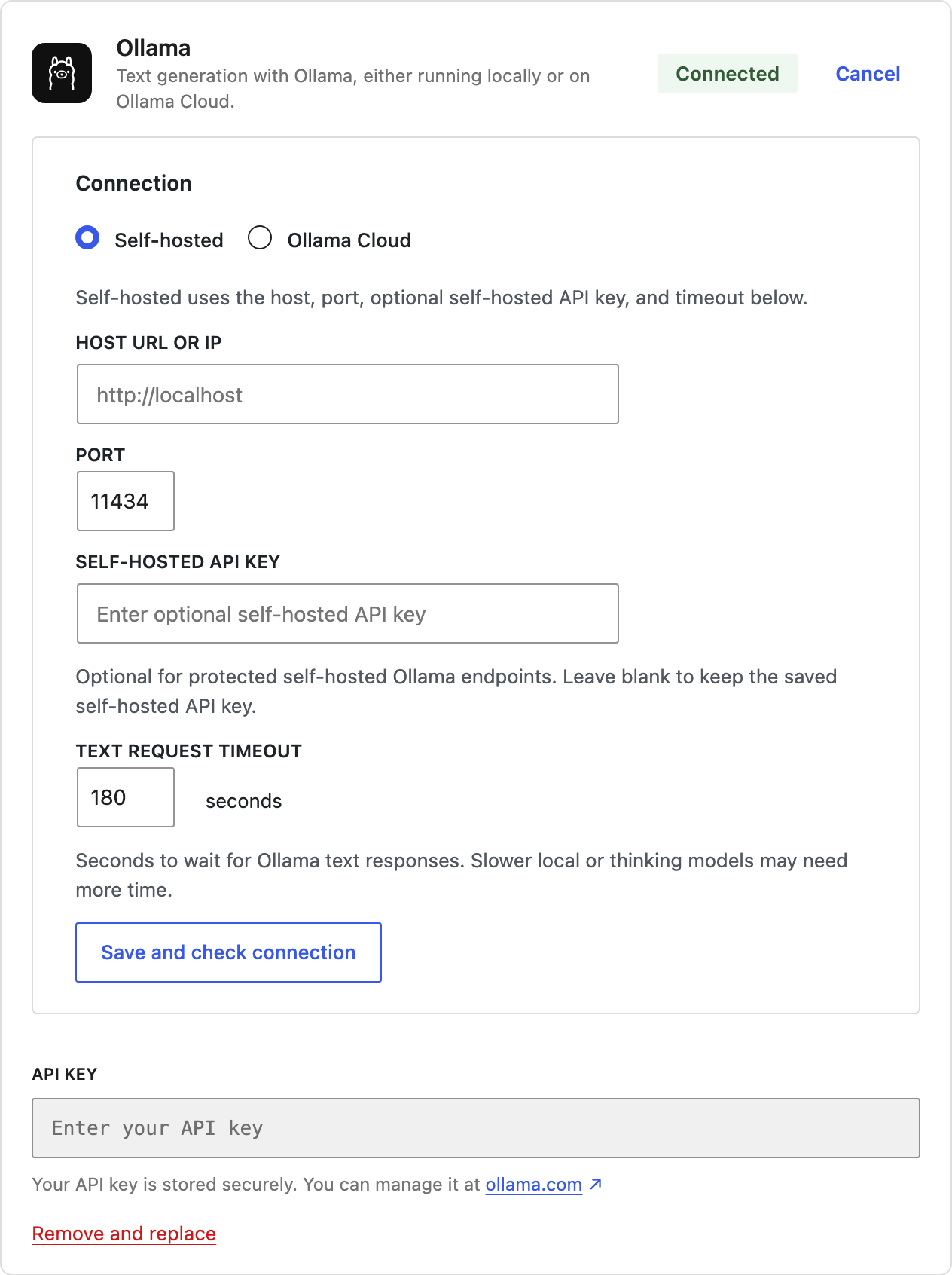
Settings › Connectors: the Ollama connector, which WordPress lists beside its own connectors.
Environment overrides#
Two settings can also come from the environment, which is useful on managed hosts and in containers:
| Setting | Variable | Notes |
|---|---|---|
| Host URL | OLLAMA_HOST |
Takes precedence over the value saved in the admin. |
| API key | OLLAMA_API_KEY |
Environment variable or PHP constant; takes priority over saved admin keys. |
Install Ollama itself#
If you do not have Ollama yet, download it from ollama.com and pull a model:
ollama pull llama3.2The connector discovers pulled models automatically the next time you open Settings › Ollama.
Check the connection#
Tools › Site Health includes a connectivity test for the configured Ollama endpoint, and Settings › Ollama shows a redacted diagnostics panel with endpoint status, latency, model availability, version, embeddings and streaming readiness.